
Quick start: Your first client session
At a glance
This is one example of how you could run a session in Pro, from creating the rider's profile to sending the report. It isn't a strict method, so use the features in whatever way works for you.
Try it on your own bike first or read through the Quick Start, so you're ready for your next client.
How Pro is organized. Riders and their bikes are persistent records that stay between visits. Each rider can have multiple bikes on their profile. A session opens under the rider and is assigned to one of their bikes. Individual recordings are saved under the open session.
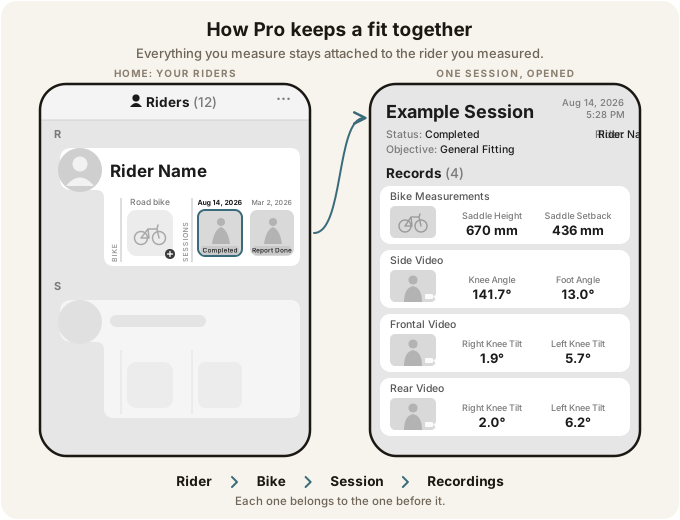
What this walks through:
- Setting the app up for your practice
- Building your intake with custom data
- Creating the rider and their bike with the client
- Taking starting bike measurements and recording from the side, front, and rear
- Reading the results and checking with LiveCheck between adjustments
- Final bike measurements, the reports, and closing the session
What you'll need: a bike on a trainer, a phone or tablet on a tripod or something that won't fall over, and about thirty minutes.
Was this section helpful?Tell us more