
Getting around Elite
The home screen
Your sessions, grouped by month.
| # | Element | What it does |
|---|---|---|
| 1 | Sessions (top left) | How many sessions you have recorded. Tap it to:
|
| 2 | Checkmark (top right) | Select several sessions, then:
|
| 3 | Menu icon (the ···, top right) |
The main menu. See The main menu. |
| 4 | Status icons (on each video thumbnail) | A quick read of the results. On a side video: saddle height and fore/aft, each a checkmark (no change needed) or an arrow showing which way to move. Front videos get their own pair of icons for the knees. |
| 5 | Session cards | One per session: its title, the rider, the date, and a thumbnail for each record inside. Tap a card to open the session. |
| 6 | + button (bottom right) | Starts and opens a new session. |
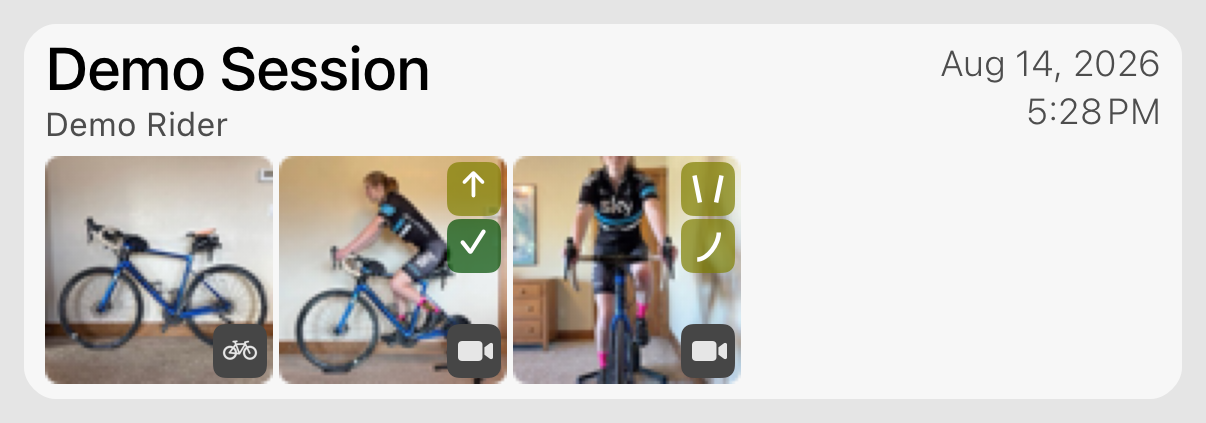
Long-press a session for three actions: Report (a PDF of the whole session), Share (a file another BFF user can open), and Delete. The demo session can't be deleted, so it only shows the first two.
*Before you combine: Combine builds one new session that holds every record from the sessions you picked, with the details of the first one. The original sessions are deleted for good; the videos are preserved in the new session.
Was this section helpful?Tell us more