
How to record well
Checking a front recording
A front recording doesn't show an Error Recording message, so check the toe tracks yourself. On a front recording's EZ Dashboard, toe tracking draws the path of each toe. Clipped in, your foot can only twist a few degrees on the pedal, so a clean recording gives two smooth, narrow, upright tracks.
When they aren't, the recording is the problem, not your pedaling:
- Wavy tracks: the phone moved during the recording.
- Tilted tracks: the phone wasn't level.
- A sudden jump partway through: something blocked the view.
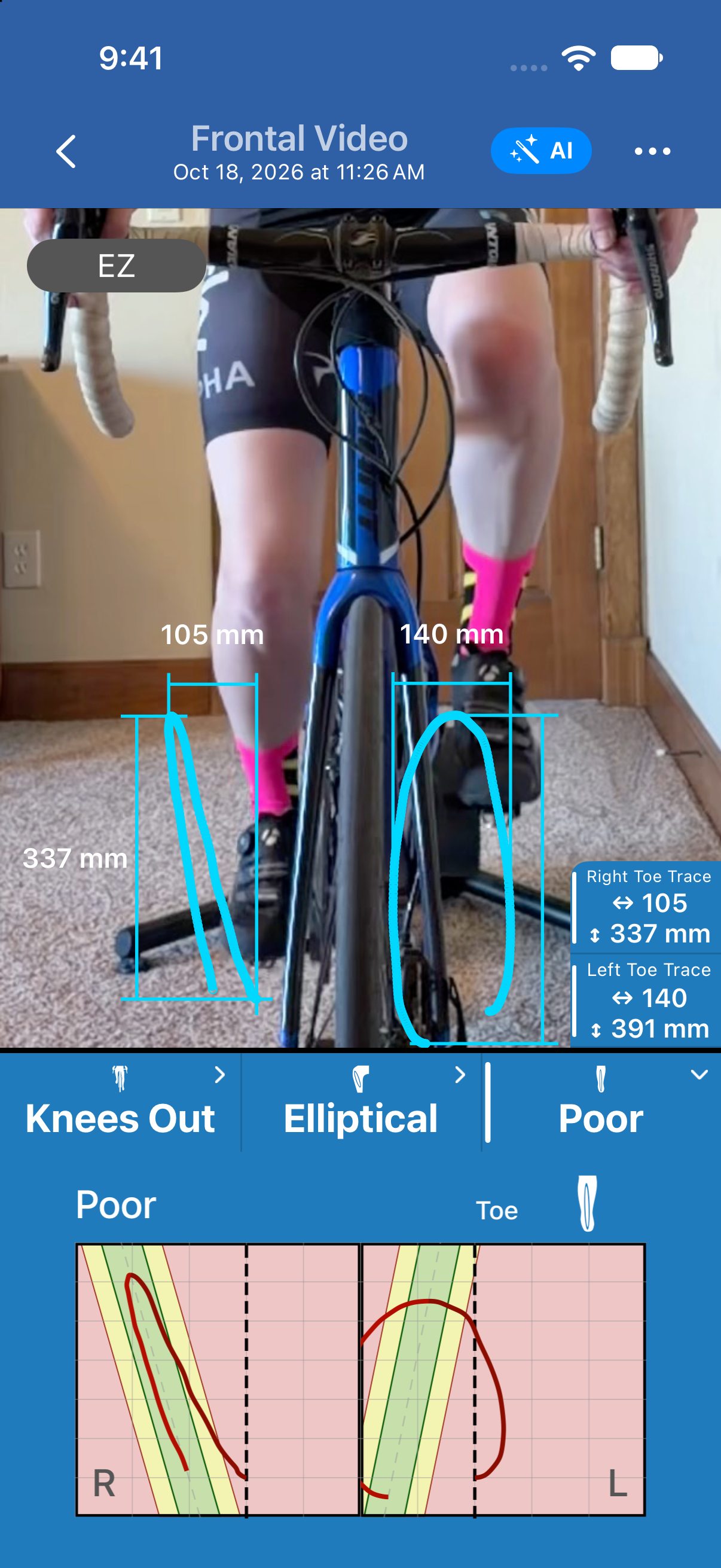
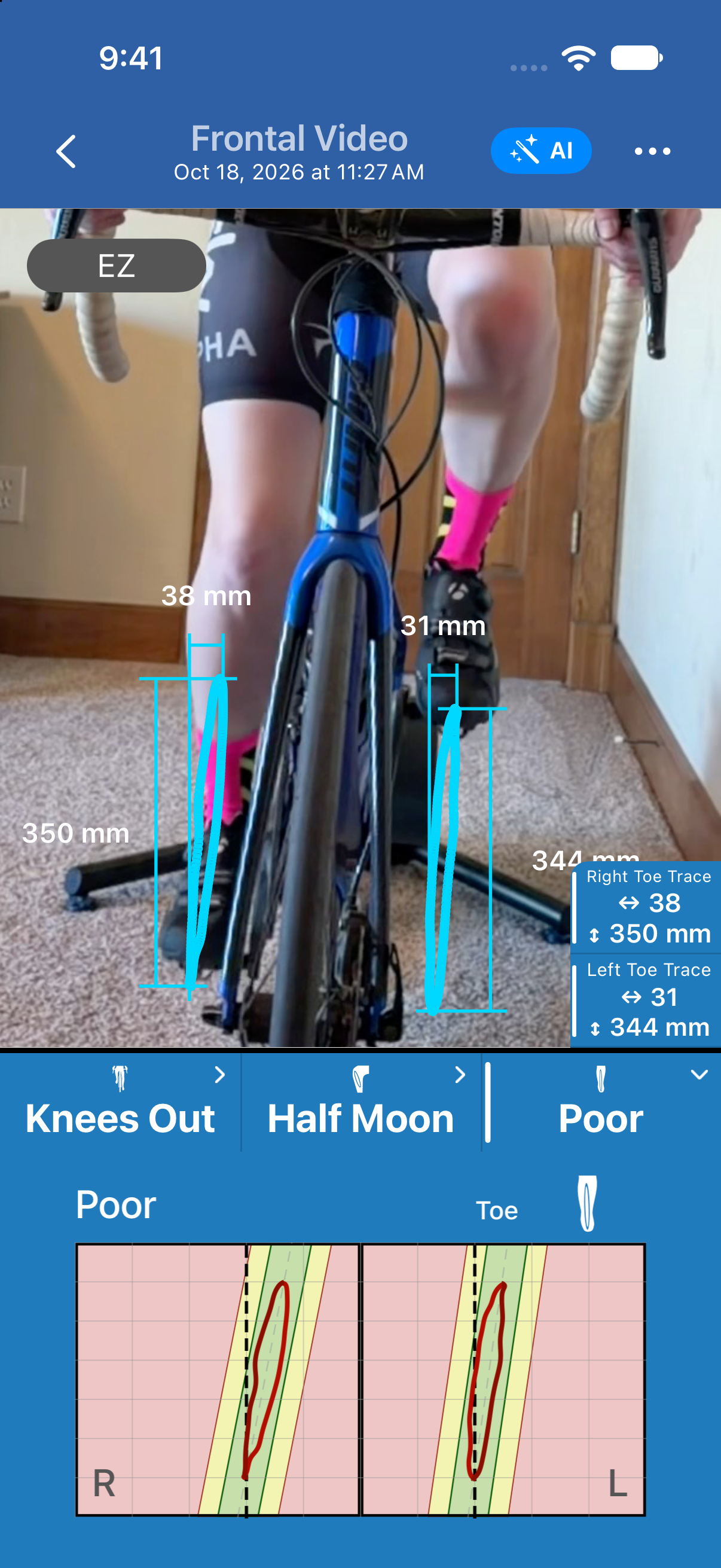
Check toe tracking before you read knee tilt or knee tracking. If it says Poor, fix the recording and rerecord first, because the knee readings depend on it.
Was this section helpful?Tell us more