
How to record well
Placing the camera for a front view
A front view shows how your knees move side to side through the stroke. Those movements are small, so the phone has to be steadier and squarer than for a side view.
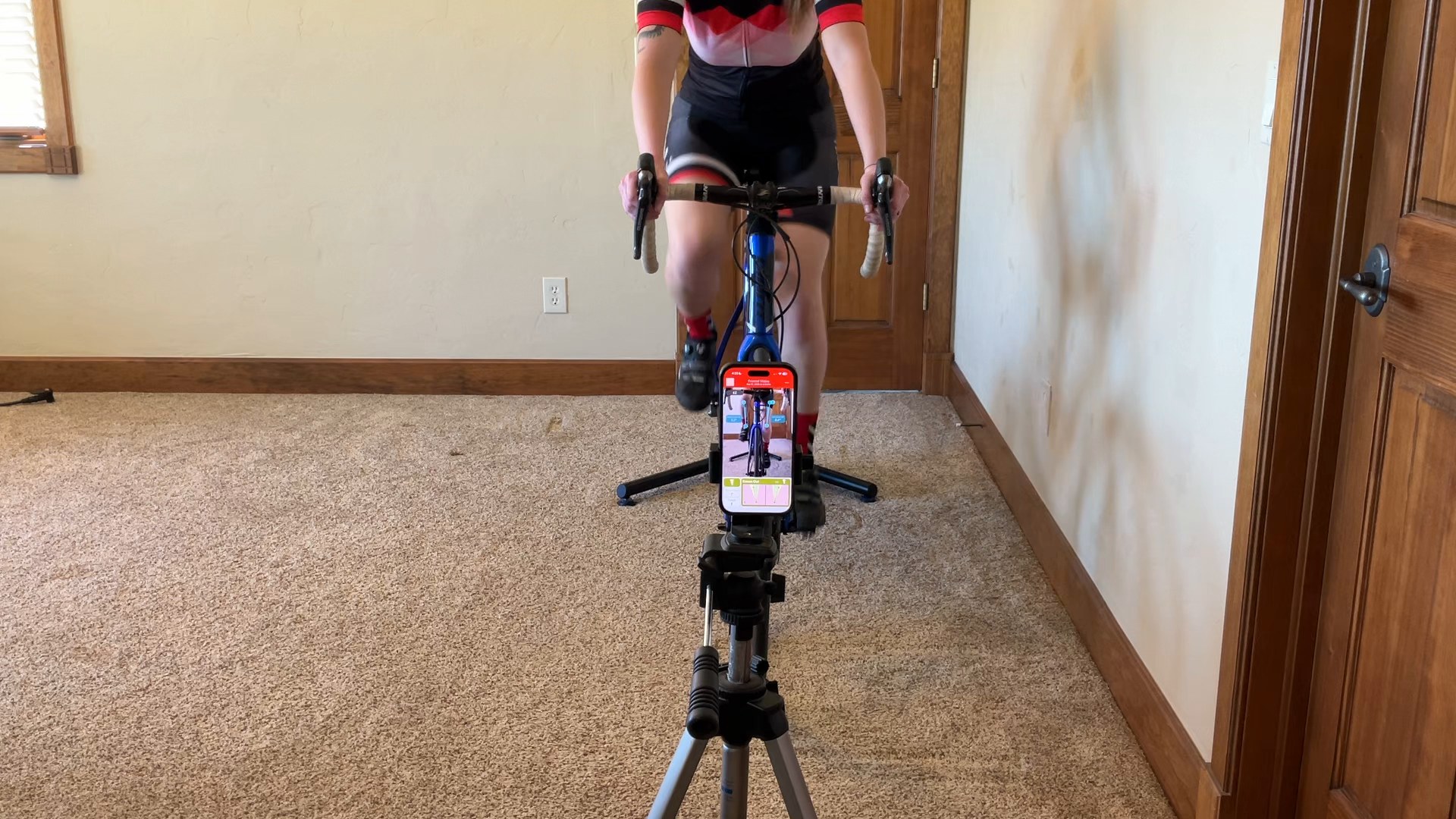
- On a tripod. Any movement of the phone looks like movement of your knees.
- Green bike overlay. The green bike overlay shows the ideal placement of the bike for a front view.
- Straight in front, centered on the front wheel. A phone off to one side can make a knee's path look off when it really isn't.
- Level. A tilted phone tilts every line the app draws. The alignment aid shows a plain green rectangle when it's level.
- About knee height, or a little lower. Too high and the handlebars hide your knees.
- A clear view of your feet. Trainer legs, the fork, or anything else in front of your toes is the most common reason a front recording fails. Move the phone until you can see both feet all the way around the stroke. The app can track through a brief or partial block, though, so a moment of blocked view won't ruin the reading.
You don't need to tell the app it's a front view. It recognizes one from the camera and switches the green outline to a front view. If you ever need to choose it yourself, tap the direction readout above the recording box.
Light and clothing matter the same way they do from the side. For front views, we recommend a fixed trainer rather than a rocker/roller combo as the movement of the bike can make it harder to get an accurate reading.
Was this section helpful?Tell us more