BFF Academy · EZ course

How to record well

about 11 minutes Lesson 2 of 6 Section 4 of 7

Setting up your camera

Your phone does the measuring, so where it sits decides what the algorithm sees. We recommend using a tripod or other secure and stable method of holding your device. If you don't have anything like this, having a friend hold the camera will still work. Five things to get right before you tap Record.
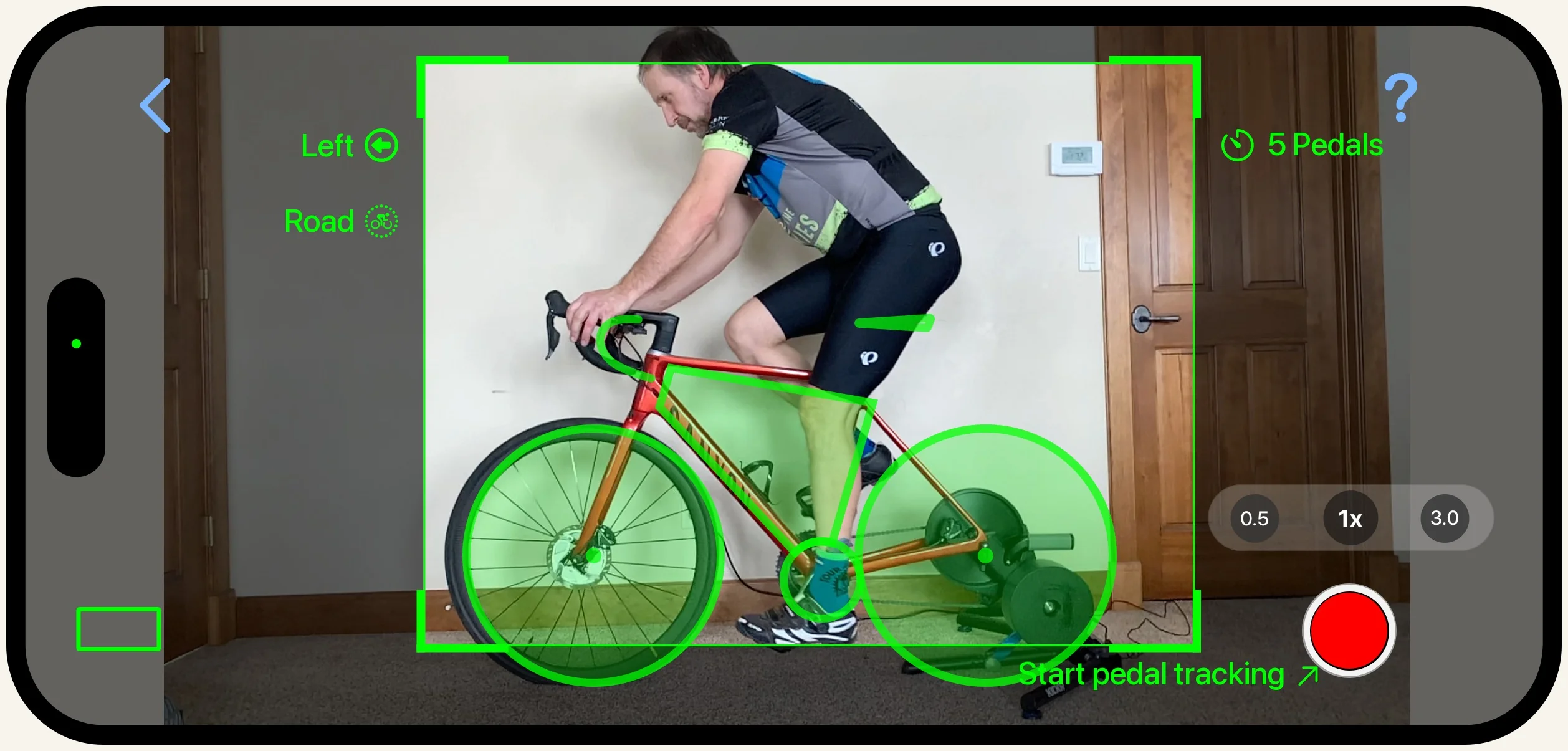
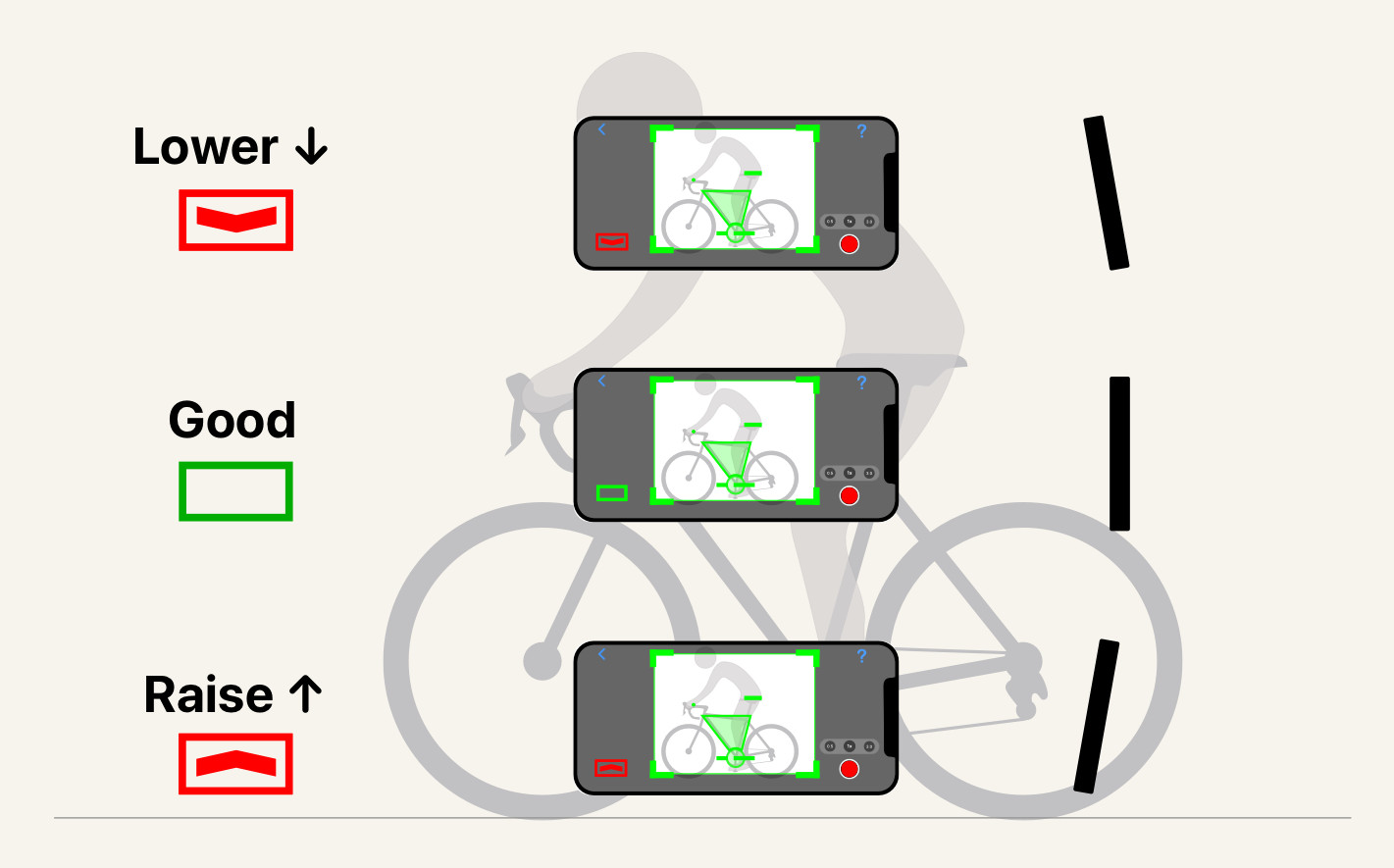
Start from a good frame. This is what the recording screen looks like when everything lines up: the whole bike and rider inside the frame overlay, with the alignment aids reading green.
Match the bike's height. Set the camera at about the height of the bike's top tube. Too high and you shoot down at the bike, too low and you shoot up at it. Aim for the middle.
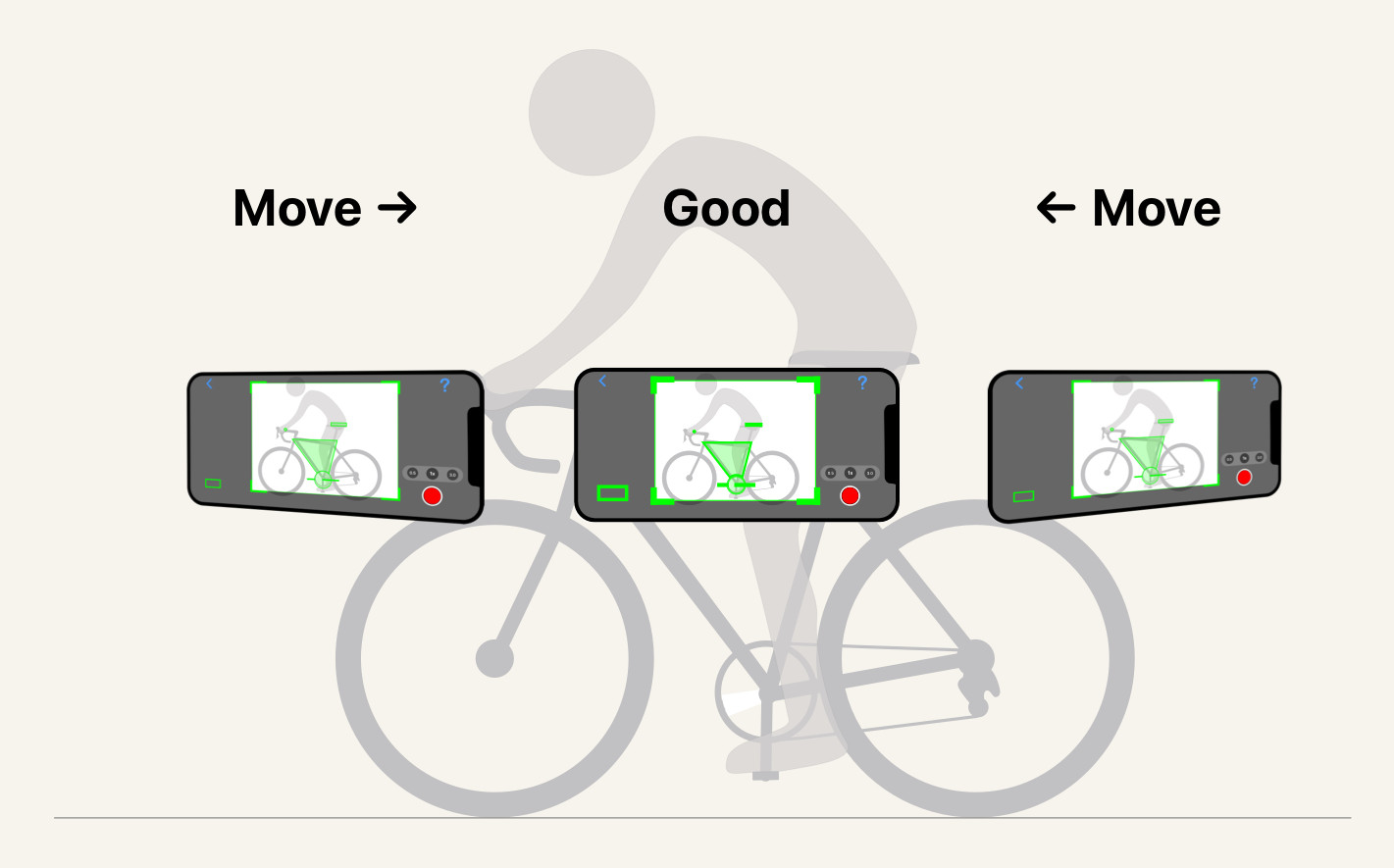
Center the bike in the frame. Slide the phone left or right until the bike sits centered, not crammed against one edge.
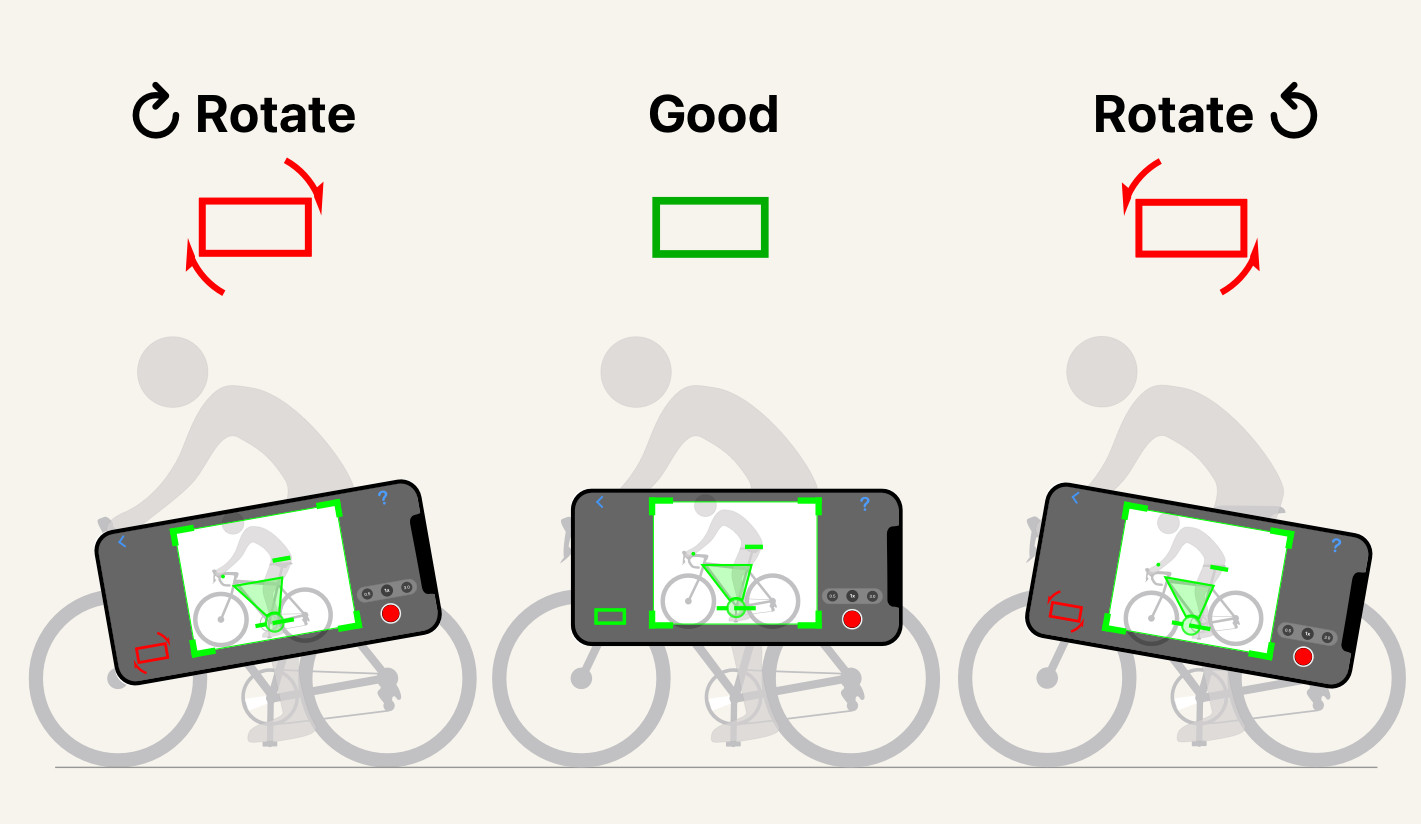
Keep the phone level. Hold it square, not tilted. A rotated camera throws off every angle the app measures.
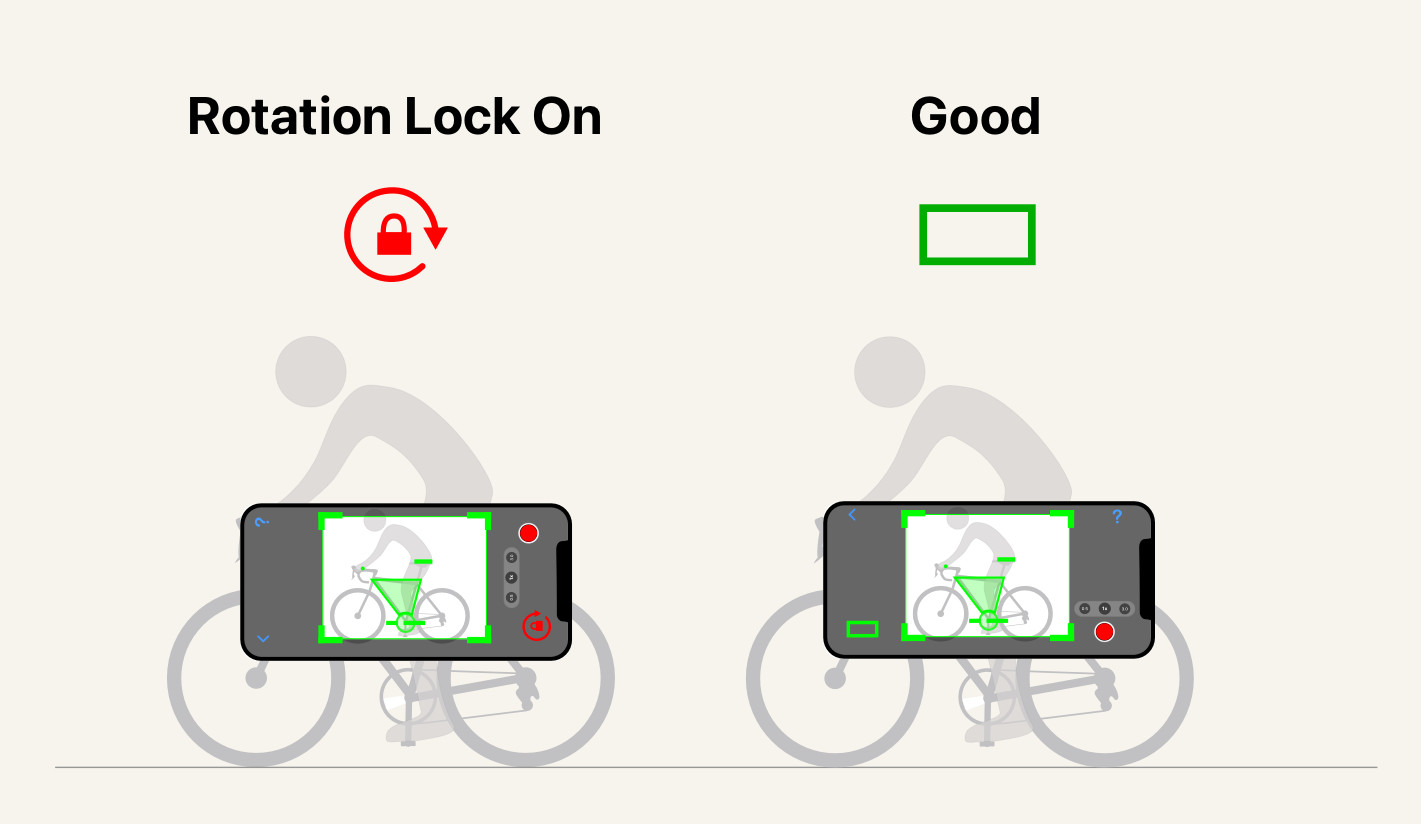
Turn off rotation lock. If your phone's rotation lock is on, the app can't orient itself. Switch it off so the camera screen sits the right way up.
Was this section helpful?
Tell us more